Could Salesforce Winter ’27 Break Your Integrations? What Businesses Need to Check
Winter ’27 changes how apps log in to Salesforce. See…

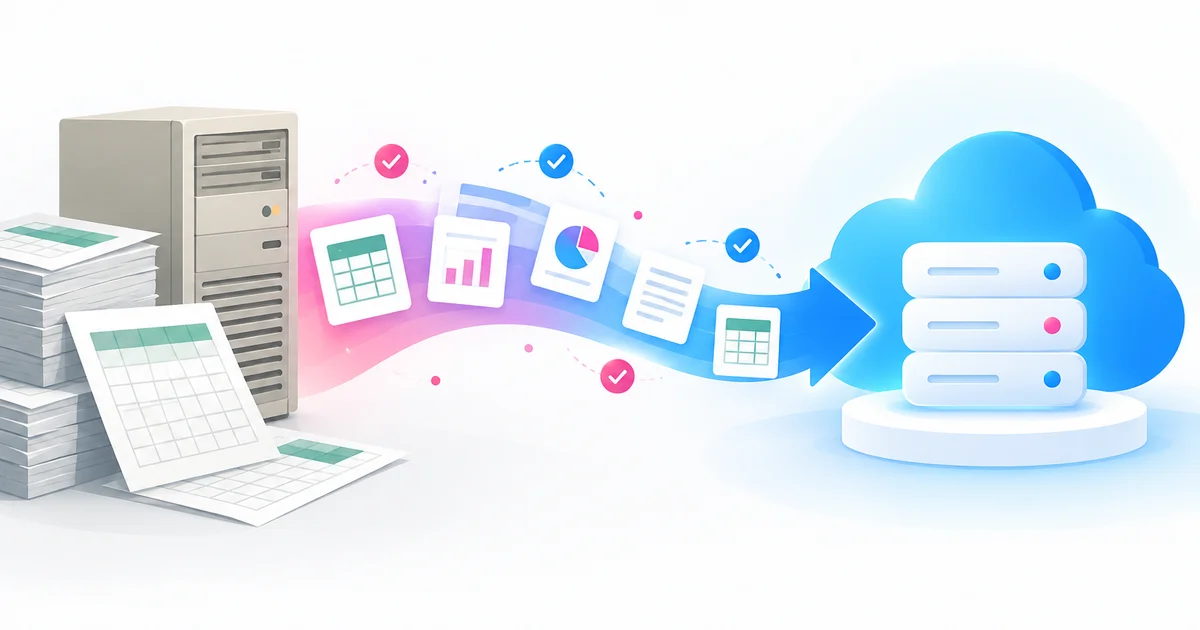
Data migration is required when the system holding your data can no longer support the way your business works. The usual triggers are replacing a CRM, outgrowing your current set-up, merging with another company, a platform reaching end of support, or tighter compliance rules. The best time to migrate is after you’ve planned, cleaned and rehearsed.
We wrote the first version of this post in 2024. Since then we’ve helped plenty more teams move data into, out of and around Salesforce, and one thing keeps coming up. The technical part rarely goes wrong. The timing does. Teams start too late, skip the clean-up, or go live in the middle of their busiest month.
Data migration means moving data from one system or storage location to another, and making sure it’s still accurate, secure and usable when it lands. Copying the files is the easy bit. The real work is deciding what to bring and what to leave behind, how old fields map to new ones, and how you’ll prove nothing went missing on the way.
It rarely happens on its own. Usually it’s part of switching to Salesforce from another CRM, an integration with your finance or marketing tools, or a wider move to the cloud.
This is the big one. Moving off spreadsheets, an old CRM or a database someone built years ago into Salesforce means your data has to come with you. Same story if you’re merging two Salesforce orgs after a restructure.
Once a vendor stops supporting a product, the security fixes stop too. Aim to be finished well before the cut-off, not racing towards it. And migration isn’t always about records. Salesforce ended support for Workflow Rules and Process Builder on 31 December 2025 (Salesforce Help), so a lot of orgs now have a migration job that’s really about automation: rebuilding old rules in Flow.
You’ll recognise the symptoms. Searches crawl. You keep hitting storage limits. A report that should take ten minutes eats an afternoon, and someone in sales keeps a ‘proper’ spreadsheet on the side because the system can’t keep up. Growth is a nice problem to have. It’s still a problem. Not sure whether to migrate or fix what you’ve got? A Salesforce health check will tell you.
If customer details are spread across five tools and nobody trusts any single version, a consolidation migration is usually the answer: one platform, one record per customer. It’s also the groundwork for decent reporting and for AI. Salesforce’s Agentforce and Data 360 (the product called Data Cloud until it was renamed on 14 October 2025, per Salesforce Trailhead) work far better on clean, connected data. Feed them duplicates and you’ll get confident answers built on the wrong record.
Two companies usually means two CRMs, two naming conventions and a worrying number of duplicate customers. Bringing them together is the only realistic route to a single view of the combined business.
UK GDPR expects you to know what personal data you hold, why you hold it and how long you’ll keep it (ICO). If your current system can’t handle retention rules, access controls or an audit trail, moving to one that can is a sensible decision and an easy one to defend.
Servers, specialist contractors and the workarounds that keep an ageing platform alive can quietly cost more than moving. A migration can bring that down, but only if the new system is set up properly.
Timing decides whether go-live is quiet or chaotic. Our rules of thumb:
Sometimes the honest answer is ‘not yet’. We’d push back on a go-live date if nobody has agreed how the new system should work, if the people who need to test and sign off are on holiday or buried in year-end, or if you can’t take a full backup of the source data. Sort those out first.
A delayed migration costs you a few weeks. A failed one can cost months of clean-up and a lot of goodwill with your users.
A few Salesforce specifics are worth knowing before you set a date.
Salesforce’s own guidance is clear (Salesforce Developers). The Data Import Wizard suits simpler loads of under 50,000 records into the objects it supports. Data Loader is for bigger jobs, objects the wizard can’t handle and loads you’ll repeat, and it can process up to 150 million records from a CSV file. For very large volumes it can run through the Bulk API (Salesforce Help). For anything beyond a simple import we prefer Data Loader, because it’s repeatable and it gives you success and error files you can check line by line.
Run the whole migration at least once in a sandbox. Then get the people who actually use the data to look at the result, not just the project team. They’re the ones who spot the odd stuff, like missing phone numbers or opportunities hanging off the wrong account.
Accounts need to exist before contacts and opportunities can link to them. Give every record an External ID carried over from the old system, so you can re-run a load or fix a batch without creating duplicates.
Flows, validation rules and email alerts will happily fire on every imported record. Nobody wants thousands of ‘welcome’ emails going out on a Saturday morning. Decide what gets switched off, who switches it back on, and when.
Compare record counts, spot-check a sample of key records against the source and get the business owners to sign off in writing. Then retire the old system. We’d still keep a read-only copy for a while.
Pre-migration checklist
New to all this? Our Salesforce implementation guide shows where migration fits, and moving on from spreadsheets is worth a read if Excel is your current ‘system’.
We’re a UK Salesforce partner, and data migration is part of most projects we deliver through our Design & Deliver implementation service. We’ll help you decide what to move, clean and map it, rehearse it in a sandbox and be on hand for go-live. Not sure the timing’s right? Get in touch and we’ll give you a straight answer, even if that answer is ‘wait’.
Data migration is required when the system holding your data can’t support how the business now works. Common triggers are replacing a CRM or other core system, outgrowing your current one, merging with another business, a platform reaching end of support, and compliance needs such as UK GDPR retention rules.
After you’ve agreed the scope, cleaned the data and rehearsed the migration in a test environment. Go live in a quiet period and leave time before any contract or end-of-support deadline in case you need to re-run.
It depends on the volume of data, the number of source systems and how clean the data is. A simple import can be done in days. A multi-system migration with history and attachments often takes several weeks once mapping, test runs and sign-off are included.
Losing data, creating duplicates, breaking the links between records, automation firing during the load and carrying poor-quality data into the new system. A full backup, a clean-up, sandbox rehearsals and a written sign-off reduce each of these risks.
Salesforce recommends the Data Import Wizard for simpler loads of under 50,000 records into supported objects, and Data Loader for larger volumes, unsupported objects or repeat loads. Data Loader can process up to 150 million records and can use the Bulk API for very large jobs.